Sky Tonight - Star Gazer Guide
- 4.7
- Rating
- 5.00M
- Installs
- Free
- Price

 Analysis by App-foxy
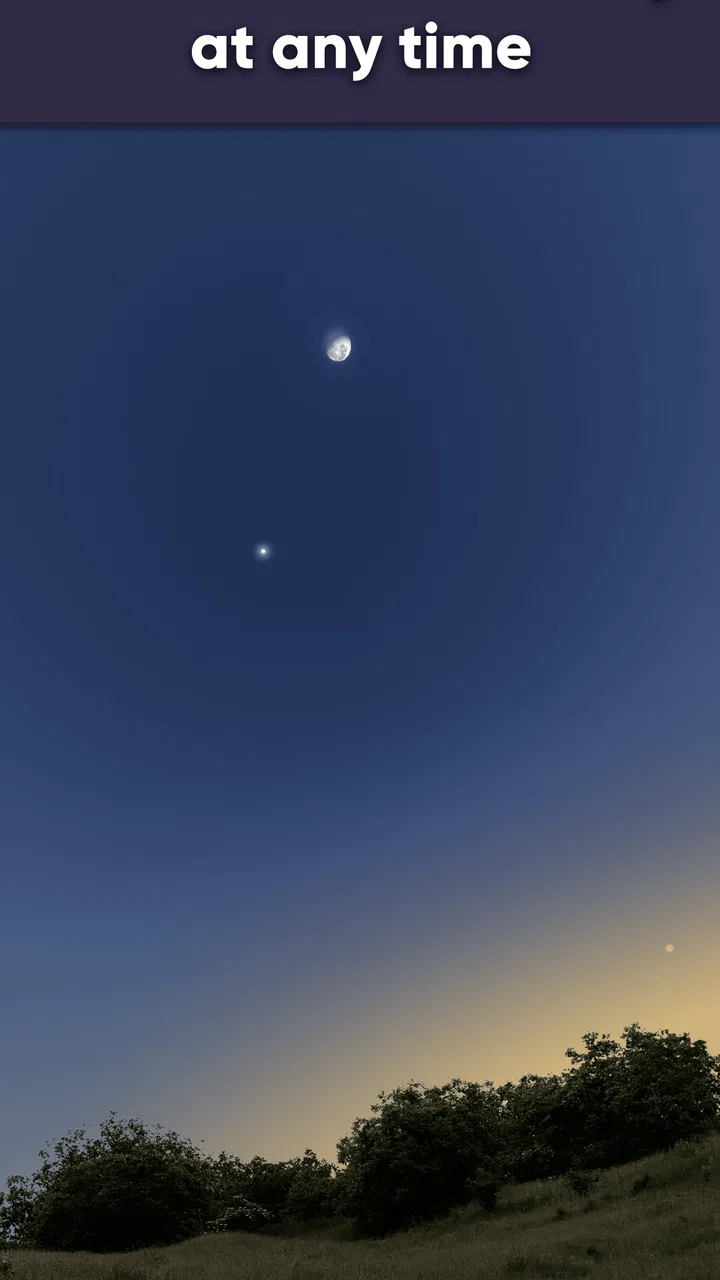
I like astronomy apps that help me look up instead of making me feel as if I need a course in astrophysics first. Sky Tonight - Star Gazer Guide takes that approachable route: it is a free Books & Reference app from Vito Technology that turns the sky above you into something you can investigate with your phone. Its focus is practical rather than purely encyclopedic, combining a live sky map with information about stars, planets, and constellations.
After spending time with it, my impression is that it works best as a companion for curiosity. You can use it when a bright point catches your eye, before heading outside to plan a short observing session, or with a child who wants to know what is overhead. It is not a replacement for a telescope, a serious observing log, or a specialist astronomy program. Its strength is the bridge between “What am I looking at?” and “Now I understand enough to keep watching.”
What the free app gives you and where paid value begins
The basic appeal is easy to understand because the app is free to install and available to an Everyone-rated audience. That makes it a low-risk starting point for someone who has never used a sky guide. You do not have to buy binoculars, learn a star chart, or commit to a subscription just to find out whether this kind of tool suits you.
You May Also Like

 Blood Strike: 2.5 Anniversary
Blood Strike’s Loadouts Turn Every Drop Into a Tactical Gamble
A close look at Blood Strike’s custom loadouts: how fast access to signature weapons reshapes its battle royale rhythm, rewards preparation, and narrows the gap between fights.

 Pandora - Music & Podcasts
Pandora’s Music Is Easy to Start, but Harder to Recover
Pandora’s strength is its low-effort path from a seed to a station. Its weak spot is how much confidence it asks you to place in connection, setup, and quiet recovery.

 8 Ball Pool
 Is Built on Rivalries, Rematches, and Routine
A close look at the rivalries, rematches, shared routines, and unanswered safety questions that turn a quick pool match into a persistent mobile community.

 Samsung Music
’s Quiet Strength Is Playing What You Already Own
Its reach comes less from spectacle than from dependable access to a personal library. That simplicity is both the app’s strongest retention engine and its ceiling.

 AccuWeather: Weather Radar
AccuWeather Review: A Quick, Clear Forecast for Everyday Decisions
For everyday plans, the best forecast is the one you can understand quickly. AccuWeather makes rain timing, radar, and local conditions easy to act on, with a few trade-offs.

 Hill Climb Racing
Why Hill Climb Racing Still Turns Crashes Into One More Run
A tiny car, a bumpy hill and one more upgrade: Hill Climb Racing keeps resurfacing because its simple chaos makes every near-miss feel personal.
More From Our News Desk



There are in-app purchases ranging from $0.99 to $12.99 per item. I would therefore judge the free experience first and treat any purchase as an optional decision rather than part of the entry price. The sensible question is not whether every extra is worth buying in the abstract, but whether you expect to use the app often enough for expanded access to matter. A casual user may be perfectly satisfied without spending anything; a regular sky watcher has a stronger reason to consider paid additions.
The app has reached over five million installs and holds a 4.7 average from around seventy-seven thousand ratings, with roughly two thousand reviews. Those figures suggest that it has found a broad audience, but they do not tell me that every user will enjoy the same workflow. Someone who wants a quick answer from a bright object overhead may value it immediately, while someone seeking highly technical observational control may find its guided approach less suitable.
Its current version is 2.4.0, and it runs on Android 7.0 or later. That broad compatibility is useful if you are installing it on an older spare phone for outdoor use. I would still check that the device is comfortable to hold and read in darkness, because the quality of the experience depends as much on handling the screen outdoors as it does on the astronomy content itself.
How I use the live map in ordinary situations
The most useful workflow starts with a question rather than with browsing. If I notice a bright object near the horizon, I open the live map, point the phone in that direction, and use the displayed sky as a visual prompt. The important benefit is not simply seeing labels; it is learning the relationship between the object I noticed and the surrounding constellation. That context gives me a better chance of recognizing the same area later without the phone.
For a relaxed evening, I would use the app before going outside, identify a small group of targets, and then put the phone away for a few minutes at a time. This is a better habit than constantly waving the device across the sky. The screen can become a distraction, and bright phone light can make faint stars harder to see. I find the app most valuable when it helps me prepare, then lets my eyes do the observing.
A realistic example is a family walk after dinner. A child points at a bright star and asks what it is. Instead of guessing, I can use the guide to orient myself, show the relevant constellation, and then explain that the phone is identifying a pattern in the sky rather than making the object brighter. That small distinction turns a quick lookup into a more useful lesson about observation.
Why the presentation matters for beginners
Traditional printed star charts remain excellent for people who already understand celestial directions, but they can be intimidating when the sky is unfamiliar. A live map reduces the first barrier: I do not have to begin by translating a flat page into the exact view above me. The phone offers an immediate visual relationship between the display and the sky, which makes the first few sessions less frustrating.
That convenience does not remove the need to learn. In fact, I recommend using the map to choose one constellation at a time, then trying to find its main shape without looking at the screen. This creates a gradual handoff from assisted identification to memory. If you only follow the display, you may become dependent on it and miss the quiet satisfaction of recognizing a pattern yourself.
The app also suits readers who want reference material alongside observation. Instead of searching separately for every unfamiliar name, I can stay within the same astronomy-focused environment while moving from a visual sighting to background reading. That makes it more useful than a simple compass-like pointer, especially when curiosity continues after the initial identification.
Three practical techniques that improve the experience
First, I use the app indoors before an outing. I look around the expected viewing area, note which constellations are positioned in a convenient direction, and decide what I realistically want to see. This avoids the common mistake of arriving outside with an enormous list and spending the whole session searching. A short plan makes the tool feel calmer and keeps the observation itself central.
Second, I compare the map with a naked-eye view instead of assuming the phone is always the final authority. Holding the device too close to the body, pointing at an awkward angle, or using it while walking can make orientation feel less natural. I pause, steady the phone, and use nearby recognizable stars as anchors. That simple reset is often more useful than repeatedly rotating the device.
Third, I use the guide as a learning aid rather than a permanent overlay. After identifying a constellation, I lower the phone and try to trace its shape from memory. On a later night, I check whether I can find it again. This approach extracts more value from the app than treating it as an answer machine, because the knowledge gradually becomes mine rather than remaining on the screen.
Where it compares well with usual alternatives
Compared with a printed atlas, the app is faster for orientation and easier for a first-time user who does not yet know how to read a chart. Compared with a general web search, it keeps the visual sky and the reference context together. A search engine may answer “What is that bright object?” but it usually does not provide the same immediate relationship between the object, nearby stars, and the current view.
Compared with a dedicated telescope-control application, this is the more approachable choice for casual, unaided observation. A telescope user may prefer specialized tools built around equipment, detailed planning, or precise targeting. I would not choose this guide as my only tool for a serious imaging workflow. Its value is strongest when the phone itself is the observing companion, not when it is expected to manage an elaborate setup.
There is also a difference between this app and a purely educational astronomy book. A book can explain concepts in greater depth and remains useful away from a device, while the app connects explanations to the sky I am actually seeing. For me, the two formats complement each other: the app is better at immediate recognition, and a book is often better for sustained study.
Tradeoffs, suitable users, and my buying decision
I’d weigh the app’s approachable sky guide against the screen time and limited specialist control before deciding whether to keep using it. For a casual observer, trying it on an ordinary clear evening is a better test than judging it from a feature list; the next question is whether that first experience makes you want to learn the sky or reach for a more technical tool.
Friction that beginners should understand
The live-map format is convenient, but it can encourage overconfidence. Seeing a label on a screen is not the same as confirming an object with the naked eye, especially in a bright urban area where many stars are difficult to see. I would avoid presenting the app as proof that every faint point is visible from every location. It is a guide to orientation and reference, not a way to defeat clouds, light pollution, or a limited view of the horizon.
Phone use outdoors also has practical drawbacks. A screen that looks comfortable indoors may feel too bright at night, and holding a device overhead for a long time is tiring. I prefer short checks followed by screen-free observation. If you want a completely device-free experience, a printed chart or memorized star patterns will suit you better.
Another tradeoff is the balance between simplicity and depth. The app is welcoming because it does not force a specialist workflow on every user. That same simplicity may feel restrictive if you want an instrument-centered observing plan, extensive technical data, or the discipline of maintaining a detailed paper log. I would see it as an accessible guide first and an advanced astronomical workstation second.
The purchase structure deserves a measured approach as well. Since the app is free but offers individual in-app purchases, I would not pay automatically on the first launch. I would spend time with the free portion, decide whether I return to it for real observing sessions, and only then consider an extra. That is the fairest way to judge value because frequent use matters more than the size of a feature list.
Who is likely to get the most from it
I recommend it most strongly to newcomers, families, students, and curious adults who want a friendly way to connect names with things in the sky. It is particularly useful for someone who has tried looking up before but felt lost among similar-looking stars. The live map provides a starting point, while the reference content gives the discovery enough substance to continue learning.
It is also a good fit for occasional travelers and campers who want to make an evening outdoors more interesting without carrying a full astronomy kit. I would prepare the app before leaving, choose a few targets, and keep expectations realistic. A short session identifying a constellation can be rewarding even when conditions are not perfect.
Teachers and parents may find it helpful for demonstrating how a sky map corresponds to the real world. I would use it interactively: ask a child to predict where a constellation should be, check the display together, and then look for its brightest pattern. That encourages observation and reasoning instead of turning the lesson into passive screen time.
Who should choose something else
I would skip it if your main goal is controlling a telescope, planning advanced astrophotography, or building a rigorous observing record. A specialized astronomy tool, a paper atlas, or equipment-specific software may be a better primary choice in those situations. The app can still serve as a quick orientation aid, but it should not be expected to replace tools designed around those more demanding tasks.
I would also hesitate if you dislike using a phone outdoors or want astronomy to be entirely screen-free. The app’s central advantage is its interactive visual guidance, so avoiding that interaction removes much of what makes it distinctive. In that case, a printed chart and a red-light setup would probably feel more natural.
My verdict on whether it is worth installing
Sky Tonight - Star Gazer Guide is worth installing if you want an approachable introduction to identifying stars, planets, and constellations. The free entry point makes experimentation easy, and the app delivers more value when used as part of a simple routine: prepare indoors, check the map briefly outside, then practice finding the pattern without the phone.
I would not describe it as the final astronomy app for every kind of observer. Its guided presentation favors accessibility over specialist control, and the purchase options mean regular users should decide carefully whether optional spending matches their habits. Still, for the person who looks up and wants a clear next step, it does that job well.
My buying advice is straightforward: start free, test it during a real evening outdoors, and judge it by whether it helps you recognize the sky rather than merely label it. If it makes you curious enough to keep looking after the screen goes dark, it is providing genuine value. If you need technical planning or equipment control, keep it as a beginner-friendly reference and choose a more specialized alternative for the rest of your workflow.
FAQs for Sky Tonight - Star Gazer Guide
01What is Sky Tonight - Star Gazer Guide?
Sky Tonight - Star Gazer Guide is an intuitive app designed for astronomy enthusiasts and casual stargazers. It helps users identify stars, planets, and constellations by simply pointing their device at the sky. The app offers real-time sky maps, augmented reality features, and detailed celestial information to enhance your stargazing experience.
02How does the augmented reality feature work in Sky Tonight?
The augmented reality feature in Sky Tonight overlays information about stars, planets, and constellations directly onto your device's camera view. By pointing your phone or tablet towards the sky, the app identifies and labels celestial objects in real-time, making it easy for users to understand what they're observing without needing prior astronomical knowledge.
03Is Sky Tonight suitable for beginner stargazers?
Yes, Sky Tonight is designed to be user-friendly and is suitable for beginners. The app provides detailed guides, tutorials, and easy-to-understand information about stars and constellations. Its intuitive interface and interactive features make it an excellent tool for those just starting their stargazing journey, as well as for experienced astronomers.
04Does Sky Tonight require an internet connection to function?
Sky Tonight primarily works offline, which is ideal for remote stargazing locations where internet access might be limited. However, some features, such as downloading updates and accessing certain detailed information, may require an internet connection. Users can enjoy the core functionalities of the app without needing constant connectivity.
05Are there any in-app purchases or subscriptions in Sky Tonight?
Sky Tonight offers a free version with essential features, but there are in-app purchases and subscription options available for users seeking an enhanced experience. These may include additional features like advanced celestial data, ad-free usage, and specialized astronomical guides. Users can choose the option that best fits their stargazing needs and preferences.
Pros
- Intuitive interface for easy navigation
- Real-time sky map with detailed features
- Customizable notifications for celestial events
- Offline mode for star gazing in remote areas
- Educational content for astronomy enthusiasts
Cons
- Limited features in free version
- Requires GPS for accurate location tracking
- Battery drain during extended use
- Occasional lag in augmented reality mode
- In-app purchases can be pricey

Sky Tonight - Star Gazer Guide
Gallery